
Fashion has always shown one body. This doesn't.
Pick your shape and every outfit in your feed switches to a model that looks like you — not a curated handful of looks, but the whole catalog.
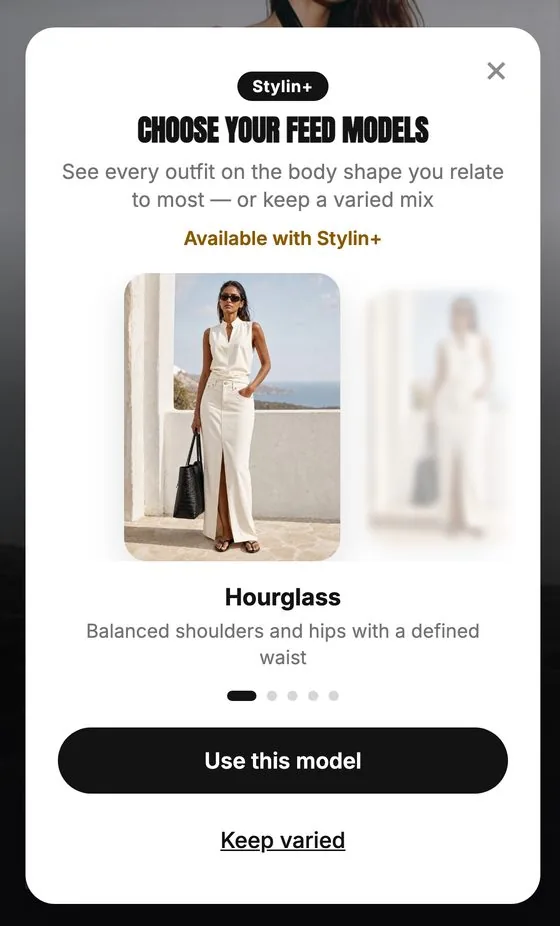
Your shape. Every look.
Five shapes. Tap the one closest to yours and every look in your feed switches to a model rendered in that silhouette — looks that suit your shape rise to the top. Prefer to keep it mixed? The default "varied" mode shows a diverse range, and you can always browse everything regardless of what you've chosen.
How it works
One tap, then it knows
Open the feed and tap the body shape button. Five silhouettes appear — pick the one that feels like you, or leave it on varied. That's it. Saved to your profile from that moment on.
The whole feed shifts
Immediately. No generation delay — the images already exist for every shape. Your feed just starts showing the right ones.
Nothing goes missing
If a look doesn't have your shape variant yet, it shows its default image and stays in your feed. You never lose access to anything.
From our engineers
The easy version of this feature filters your catalog down to "flattering" outfits per shape — which is really just a polished way of telling you what you're allowed to wear. We didn't want to build that. The harder version, the one we built, keeps every outfit visible to every user and changes the model wearing it instead. That meant a high-precision AI intervention that alters the model's body shape on every look — each outfit in the catalog rendered across all five silhouettes. It's a real cost. It's also the only approach that feels honest.
What changes
- Every outfit image in your feed shows your shape — not a curated handful of "inclusive" picks, but the whole catalog.
- Set it once and it follows you everywhere: main feed, wardrobe suggestions, collections. No per-section adjustments.
- Change your mind anytime. Switch back to "varied" in seconds — nothing is deleted, nothing resets.
- Outfits without your shape variant yet still show up. They use their default image rather than disappearing.
- Nothing about what you can wear changes. Only who's wearing it in the image.
Questions
Which body shapes does Stylin support?
Five: hourglass, pear, inverted triangle, rectangle, and oval. Each has its own model variants across the catalog. Prefer a mix? Leave it on "varied." Read our dressing guides: hourglass, pear, and inverted triangle.
Does selecting a shape hide outfits from me?
No. Every outfit stays visible. What changes is the model wearing it in the image — your shape, not a reduced catalog.
Is this a paid feature?
Pinning to a specific shape is part of Stylin Plus. The "varied" mode — which already shows a diverse mix — is free for everyone.
See yourself in every outfit
Download Stylin free on iOS. Set your shape in the feed — takes five seconds, changes everything after that.