
Edit Any Outfit, Live
One sentence. A completely different look. Type what you want changed and watch the outfit transform — face, pose, background untouched. It shouldn't be possible. It is.
How it works
Command it
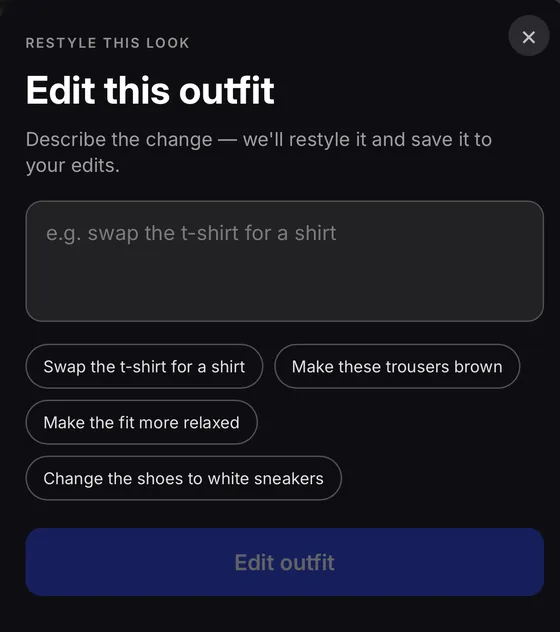
Open any outfit and tap edit. Tell it exactly what you want — swap a garment, shift a colour, change the fit. Plain language. No menus, no sliders.
The magic happens
Browse the app while it works. The edit runs quietly in the background — just you and the result, no waiting room required.
Keep going
Save it, share it, or use the result as your new starting point and edit again. Each iteration builds on the last. Only your final version is kept.
From our engineers
Swapping a garment sounds trivial. Keeping everything else — the face, the pose, the skin tone, the hair, the light falling across the background — exactly as it was? That's the hard part. Drift even slightly and the illusion collapses. The outfit stops feeling real. We spent a long time in that gap between "it changes something" and "it changes only what you asked."
The tension is precise: tell the model to preserve too much and it won't make a real change. Too little and it wanders — reshaping a jaw, shifting the exposure, recolouring hair you never mentioned. Getting that balance right is less engineering problem, more tightrope act. What you see in the app is where the rope finally held.
What lands in your hands
- A photorealistic outfit — not a sketch, not a collage — rebuilt from your words in 10–30 seconds.
- The face, hair, skin tone, and pose stay locked. Only what you named changes. Nothing else moves.
- Edit the edit. Each result becomes your new canvas. Iterate until it's exactly right — only the final version is saved.
- Not sure where to start? Suggestion chips in the edit modal give you a nudge — one tap and you're already halfway there.
Good questions
How long does it take?
Usually 10–30 seconds. It runs in the background, so you don't have to stare at a loading screen — just keep browsing and you'll get a tap when it's done.
Can I edit the edit?
Yes — that's the best part. Once a result lands, tap edit again. You can keep going as many times as you want. Only the final version gets saved; the rest disappear quietly.
What should I type?
Be specific and be direct. "Swap the t-shirt for a white linen shirt." "Make the trousers dark brown." "Change the shoes to chunky sneakers." Garment swaps, colour changes, and fit adjustments all work well. If you're not sure, the suggestion chips in the edit modal are a great starting point.
See it for yourself
Download Stylin free on iOS. Find a look you love, tap edit, and just tell it what to change.